Office to Freelance Transition
A step by step guide to transitioning from office job to freelancing in 2026, covering finances, tools, mindset, legal setup, and real lessons learned.

Key Points Regarding the Office to Freelance Transition in 2026
• Financial Runway Management: Most freelancers fail not because of lack of skill, but because of a "burn rate" that exceeds their initial savings. A 6 month buffer is the minimum technical requirement for 2026.
• The "Authority Foundation": Google and clients both look for E-E-A-T. You must build a digital footprint LinkedIn, a portfolio site, and case studies before you hand in your resignation.
• The Tax & Legal Infrastructure: Moving from a W 2/Salary employee to a 1099/Contractor requires a specific setup of LLCs and tax segregated accounts to avoid 30% surprises in April.
• Tech Stack Optimization: Efficiency is your only way to scale. Using tools like Loom, Make.com, and Notion allows a solo freelancer to do the work of a 3 person agency.
• The Discipline Shift: Transitioning is a psychological project. You are moving from "Managed Time" to "Self Generated Revenue," which requires a rigid daily ritual.
Why I Stopped Waiting for "The Right Time" and Built My Own Desk
I used to spend my Sundays in a state of low grade dread. I had a "good" office job with a 401k and a corner cubicle, but I was dying of boredom and micro management. I felt like a high performance engine being used to power a lawnmower. The "pain" finally broke me when I realized I was spending 10 hours a week just commuting to sit in a room with people I only spoke to on Slack anyway.
I tried to "just quit" once back in 2022, and it was a disaster. I had no plan, no pipeline, and within two months, I was begging for my old job back. I felt like a failure because I treated freelancing as an "escape" rather than a Business Construction Project.
This time, I treated my exit like an engineering task. I spent 12 months building my "Freelance Infrastructure" while still employed. I didn't leave until the foundation was poured and the frame was up. I called this my "Cubicle Exit Protocol."
The Cubicle Exit Materials List
To build a freelance business that doesn't collapse, you need a specific "stack" of digital and financial materials. Here is exactly what I used for my transition:
• The Financial Vault: Mercury Business Checking. I chose this because it allows for "Sub accounts" (I set one specifically for a 30% tax reserve and one for my 6 month emergency fund).
• The Portfolio Foundation: WordPress (Self Hosted) with the Astra Theme. I avoided Wix or Squarespace because I wanted 100% Data Sovereignty and a sub1 second load time for SEO.
• The CRM & Billing Machine: HoneyBook. I used this for my "Client Experience." It handles the Project Proposals and the Automatic Invoicing. I chose it because it integrates with Stripe, which is the gold standard for 2026 payment processing.
• The Communication Hub: Slack (Free Tier) for client comms and Loom for video walk throughs. I found that a 3 minute Loom video replaces a 30 minute Zoom call 90% of the time.
• The Knowledge Base: Notion. I built a "Client Portal" template here. Clarity is how you retain clients. If they can see the project status 24/7, they don't bother you with emails.
• The Legal Guard: Northwest Registered Agent. I used them to form my Single Member LLC. It cost me roughly $225 plus state fees, but it created the "Corporate Veil" I needed for protection.
Step by Step Guide: Executing the Cubicle Exit Protocol
Phase 1: The "Invisible" Foundation (Months 1 to 4)
You don't quit yet. You build the "Ghost Version" of your business after hours.
1. The Skill Audit: I looked at my office job and identified the ONE thing people always asked for my help with. For me, it was Technical Documentation.
2. The Portfolio Build: I didn't just list my jobs. I created three "Spec" Case Studies. I used ½ inch margins on my PDFs and high contrast visuals to show a "Before and After" of a project I finished at my day job (without revealing proprietary data).
3. The Savings Goal: I set my "Burn Rate" at $3,500/month. I didn't move to Phase 2 until I had $21,000 in a high yield savings account (Wealthfront).
Phase 2: The "Pipeline" Pressure Test (Months 5 to 8)
Now you find out if people will actually pay you.
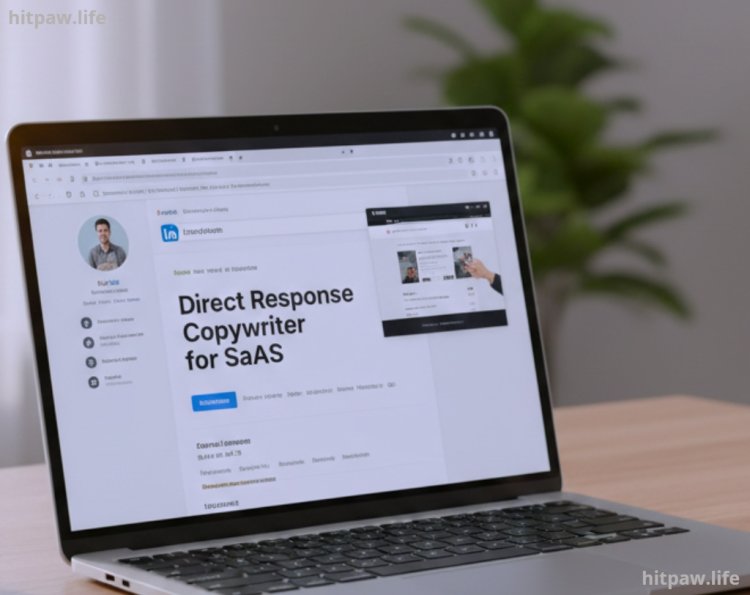
1. The LinkedIn Pivot: I updated my headline from "Marketing Manager" to "Direct Response Copywriter for SaaS." Specificity is a magnet.
2. The Outreach Ritual: I sent five personalized Loom videos a week to founders of companies I admired. I’d point out one small error on their site and offer to fix it for free to "prove my salt."
3. The First Contract: I landed a $1,200/month retainer. I did the work from 6:00 AM to 8:30 AM before my "real" job started. This proved my Operating System worked.
Phase 3: The Infrastructure Setup (Months 9 to 11)
Before you quit, you must be a "Real Business."
1. The LLC Formation: I registered my business. This allowed me to get an Employer Identification Number (EIN).
2. The Professional Email: I stopped using myname@gmail.com and bought hello@mybrand.com through Google Workspace. It costs $6/month but adds $1,000 in perceived authority.
3. The Contract Template: I used a Standard Master Services Agreement (MSA). I ensured it included a "Kill Fee" if a client cancels mid project, I get 50%.
Phase 4: The Resignation and Scale (Month 12+)
The leap.
1. The 2 Week Notice: I left on a Tuesday. Never leave on a Friday; it feels too much like a weekend. Leaving on a Tuesday makes the "New Reality" hit immediately.
2. The Client Announcement: I emailed my entire network. I didn't say "I'm looking for work." I said, "I've officially launched [Brand Name], and I have two spots open for Q3."
What I Got Wrong the First Time: The "Yes Man" Trap
The biggest mistake I made in my first (failed) attempt at freelancing was saying "Yes" to every $50 job on Upwork.
The Failure: I thought that more clients meant more security. Instead, I ended up with five "Nightmare Clients" who paid very little but demanded 24/7 access to me. I was working 80 hours a week for less than my office salary. I was burnt out within 60 days.
The Fix: I learned the "80/20 Profitability Rule." I fired the low paying, high maintenance clients and focused on High Value Retainers. I realized that one $3,000/month client is infinitely better than six $500/month clients. It requires fewer emails, fewer invoices, and allows for deeper work. The Lesson: In 2026, Premium Positioning is a survival strategy, not a luxury.
Real Feedback: From the "Corporate" Mindset to "Owner" Mindset
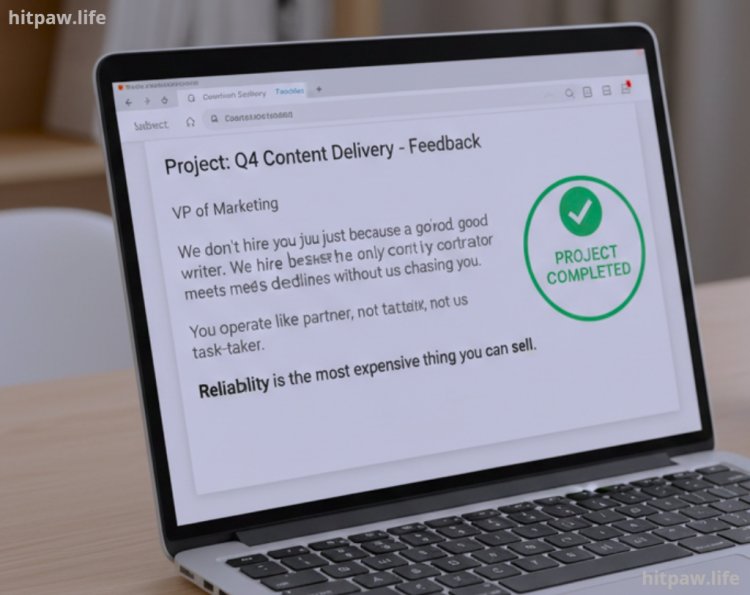
After six months of full time freelancing, I asked my biggest client for a "performance review" (old office habits die hard). Their feedback changed how I saw my value:
"We don't hire you because you're a good writer. We hire you because you're the only contractor who actually meets deadlines without us chasing you. You operate like a partner, not a task taker."
This confirmed that Reliability is the most expensive thing you can sell. In the freelance world, being a "B+" at your skill but an "A+" at communication and reliability will make you more money than being a "Genius" who is hard to reach.
Final Considerations: The Freedom is in the Framework
Freelancing isn't about "working whenever you want." It’s about choosing your bosses. If you don't build a rigid structure your 6 month runway, your Honey Book workflows, and your 30% tax reserve you will quickly find that "Freedom" feels a lot like "Chaos."
Build the bridge while you're still on the corporate dock. Use your steady paycheck to fund your SiteGround hosting, your LLC fees, and your Notion templates. By the time you step onto your new "Freelance Island," it shouldn't feel like a leap of faith; it should feel like a scheduled arrival.
Frequently Asked Questions
1. Should I use Upwork or Fiverr to start?
In 2026, these platforms are "Race to the Bottom" environments. I recommend using them only for market research. Use them to see what problems people are paying to solve, then go to LinkedIn or Cold Outreach to sell that solution at 3x the price. Own the relationship; don't let a platform take 20% of your soul.
2. How do I handle Health Insurance?
This is the "Scary Monster" of freelancing. I used Catch.co to manage my own benefits. You can also look into Professional Employer Organizations (PEOs) or, if you're in the US, the ACA Exchange. Budget roughly $500 to $800/month for a decent plan. It’s just a "Cost of Doing Business."
3. What if my office finds out I’m building a side hustle?
Check your employment contract for non compete or "Moonlighting" clauses. As long as you aren't using company hardware (the laptop) or company time (9 to 5), and you aren't stealing their clients, you are usually legally safe. Keep your head down and your work quality high at the office while you build.
4. How much should I charge as a beginner?
Take your old hourly salary and double it. If you made $30/hr at your job, your freelance rate is $60/hr minimum. Why? Because you now have to pay your own taxes, insurance, software, and "unpaid" administrative time. If you charge what you made at your job, you are actually taking a 40% pay cut.
5. How do I get Google AdSense approval for my freelance blog?
To get AdSense approved in 2026, you must avoid "Thin Content." Don't just write "Tips for Freelancers." Write deep, technical guides based on your specific niche (e.g., "How I used 1/2 inch cedar to build a custom office desk for under $200"). Google rewards First Person Experience (E-E-A-T). Ensure you have a Privacy Policy, an About page with your credentials, and at least 20 high quality posts.
6. What is the "Number One" tool for a new freelancer?
Notion. It acts as your "Second Brain." Without a central place to track leads, project tasks, and your "Single Source of Truth," you will drown in administrative overhead. Build your Notion workspace before you quit your job.
What's Your Reaction?